Octopos — October 2026 release notes
What changed in the October 2026 release: a browser-based Web POS, a single place to set up hardware, Bluetooth for PAX terminals, debit cashback and EBT Cash, WooCommerce and Shopify connections, Public API v3, plus fixes to payments, reporting, purchasing, and the POS app.
New features
Web POS
You can now open Octopos in a web browser from the sidebar in Back Office. Web POS can print to compatible receipt printers over Web Serial (a browser feature that lets the browser talk to a printer plugged in by USB cable), and it can take card payments on Dejavoo card terminals.
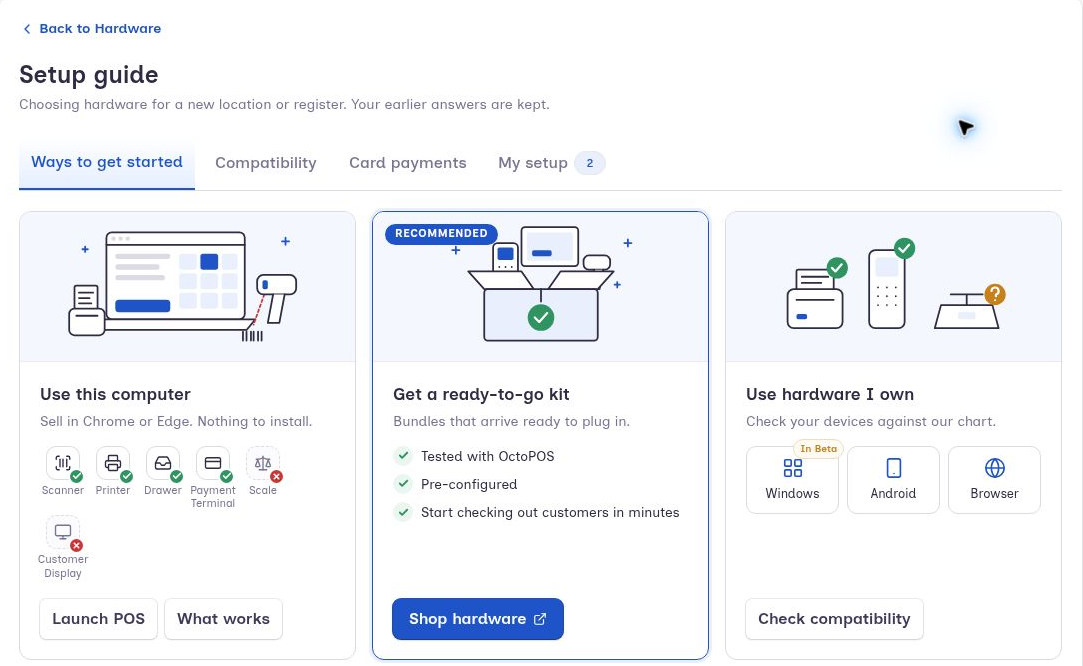
Redesigned hardware setup
The new Hardware hub brings device setup into one place, with guided steps for payment terminals, printers, scanners and scales, customer displays, kitchen displays, and cash drawers.
Setup flows include device testing to help you confirm connections and troubleshoot issues.
PAX Bluetooth connectivity
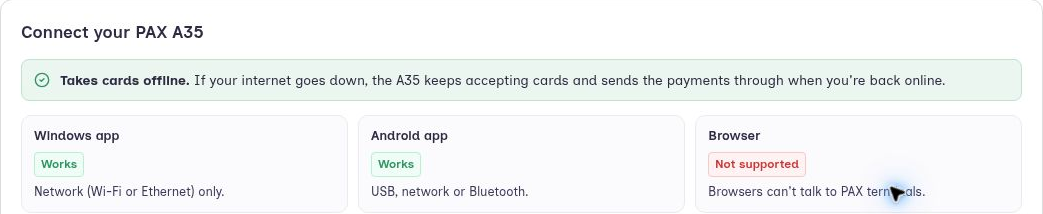
Supported PAX terminals can now connect to the Android POS through Bluetooth. The payment setup wizard includes Bluetooth configuration and a connection check before checkout.
Debit cashback and EBT Cash
Debit cashback is now supported on PAX and Dejavoo terminals, with cashback entered on the POS or prompted on the terminal.
Additional payment improvements include:
Partial approvals are handled better: when a card covers only part of the total (for example a prepaid or gift card with a small balance left), the POS is clearer about the amount still owed.
On PAX terminals, the cashier can choose EBT Food or EBT Cash. EBT (Electronic Benefit Transfer) is the government benefit card some customers call a food stamp card.
Receipts now print the customer's remaining EBT food and EBT cash balances.
The cashback amount is easier to read on the receipt screen.
Availability depends on your terminal, processor, and configuration.
Member promotions and AGDC funded programs
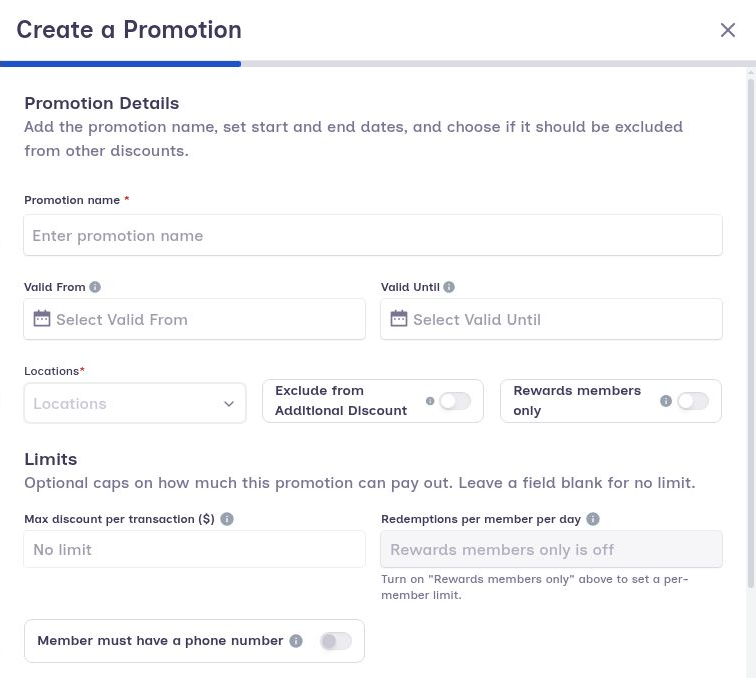
New promotion options support rewards members and participating AGDC funded programs.
Mark promotions as “Rewards members only.”
Apply stacked AGDC allowances and rewards-only promotions.
Alert cashiers when member savings are available.
Show potential member savings on the customer display.
Display a “You Saved” total on printed, emailed, SMS-linked, and hosted receipts.
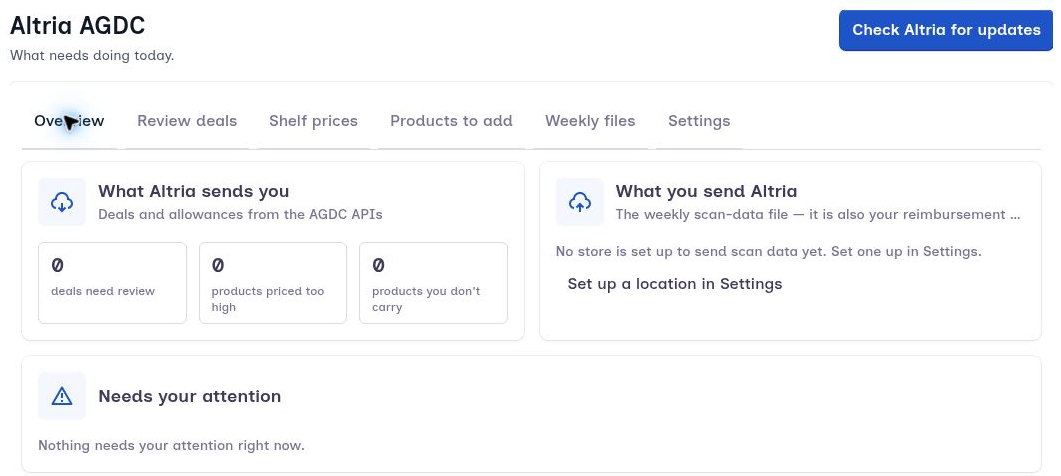
A new Altria / AGDC section in Back Office lets participating merchants review deals, approve or reject them in bulk, view sync history, and fetch the latest data.
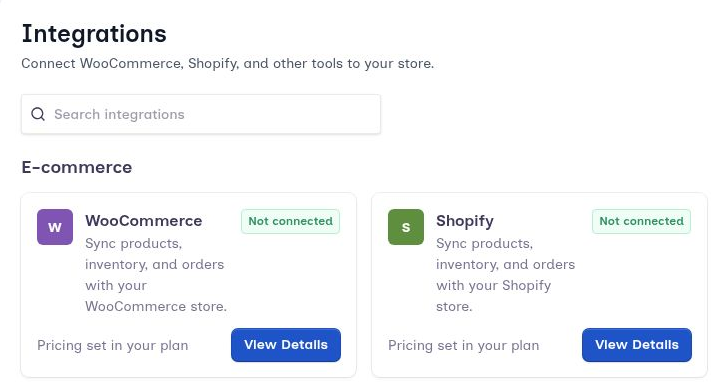
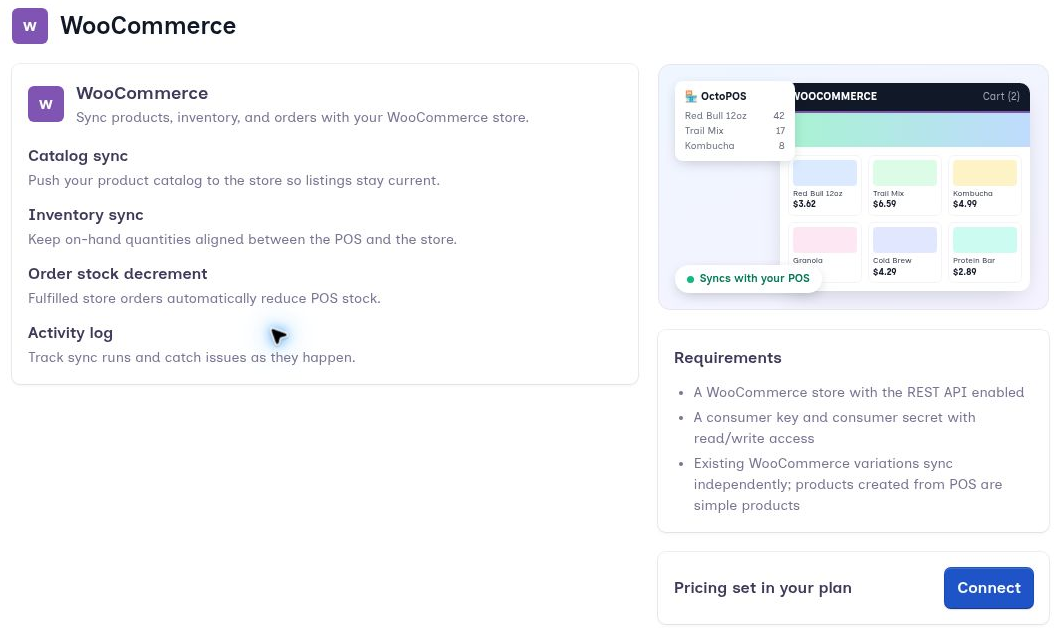
WooCommerce and Shopify Integrations Hub
Manage your ecommerce connections through the new Integrations Hub.
Connect your online store with step-by-step setup.
Sync inventory on a schedule, or sync it now.
Sync your catalog using price rules.
Import products you created in your online store.
See what the integration has done, filter the results, and retry anything that failed.
Match products already in your online store to POS products with the same SKU (the unique code you use to identify a product).
Public API v3
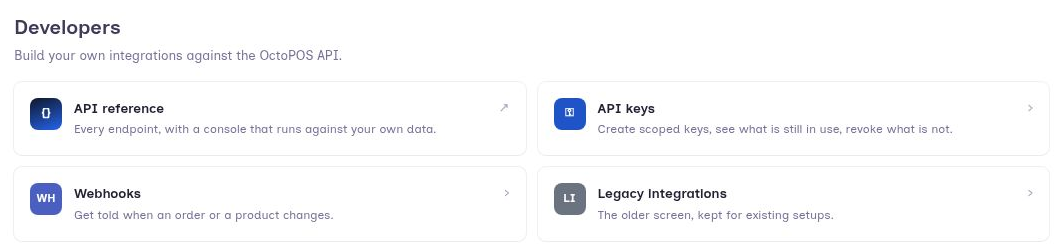
Public API v3 lets another system — such as a developer you hire or a piece of software you already use — read and update your Octopos data: products, inventory, orders, refunds, departments and categories, vendors, purchase orders, loyalty, and read-only staff information. If nobody is building an integration for your store, you can skip this section.
Create API keys through Settings → Developers, with a guided setup and an API reference covering available fields.
Staff schedules and breaks
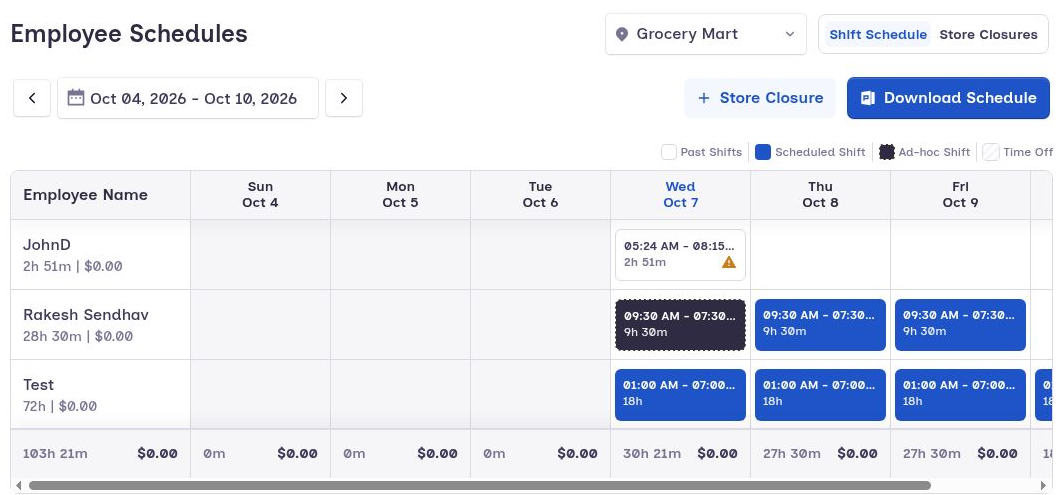
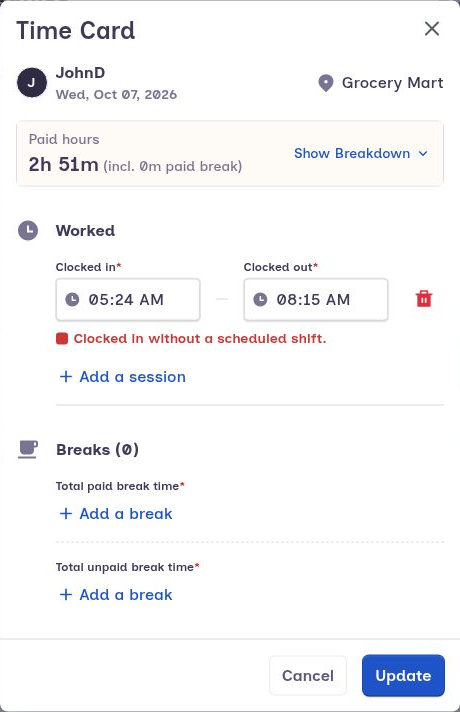
The scheduling screen has been updated to make schedules and breaks easier to manage. Time Cards (the hours staff actually clocked) are now separate from Shift Details (the hours you planned), so a worked shift no longer overwrites the schedule you set.
Customer display tips and kitchen printing
Customers can select tips on the customer display, with the selection included in payment processing.
Kitchen printer support has also been added, with clearer messages when a kitchen printer cannot be reached.
Back Office improvements
Purchasing
Reorder from an existing purchase order.
View vendor item codes on purchase orders, purchase bills, and purchase receipts.
Reports and order details
Faster Tax Report, Total Daily Department Sales, and Product Dashboard loading.
Cashback displayed in Order View.
Corrected cashback totals in exports, End of Day reports, and Sales Summary.
Unpaid amounts shown in sales reports.
Labels and receipts
Updated label template design and fixes for integration label printing.
Receipt headers and footers now support up to 800 characters each.
More reliable receipt logo loading.
Reprinted receipts show the correct subtotal and quantity.
“Print on Printer” now prints directly.
Product and invoice imports
AI product import and invoice processing screens have been refreshed, with improved matching, clearer error messages, and better feedback when processing is rerun.
Navigation, onboarding, and subscriptions
A sidebar you can collapse, with a direct link to Web POS.
A Getting Started checklist covering core setup, loyalty, and inventory.
Guided tours and clearer create buttons on key setup screens.
Redesigned subscription pages that state trial details more clearly.
The number of marketing text messages included now matches your subscription plan.
Additional settings
Location check-printing settings and expense check-number validation.
Updated payment terminal settings, including Valor and Dejavoo processor options.
POS performance and usability
Faster product browsing and favorites in large catalogs.
Changes you make in Back Office to products, departments, categories, taxes, modifiers, units, tare containers, and promotions now appear on POS screens that are already open, without closing and reopening them.
Better date entry and keyboard handling on the Age Verification screen.
Fewer steps to enter a PIN when signing in and clocking in or out.
Updated Support and Favorites screens.
Alerts when the POS loses its connection, and an updated sync status bar.
The Android customer display now runs full screen.
Access to manager screens now follows each employee's permissions.
The app checks for updates every hour and says whether an update is required or optional.
More reliable setup and sign-in the first time the app is opened.
Fixes and reliability improvements
This release also improves:
Product search and barcode scanning.
Scale readings: the POS now waits for the full weight from the scale before using it.
Quantity controls for items sold by weight.
Syncing orders that were taken while the POS was offline.
Scrolling the item list at checkout.
Checking refund quantities.
Suspended tickets are now cleared after the transaction is completed.
Promotion totals after a member promotion is declined.
Cancelling a payment on PAX terminals, USB handling, and cancelling an EBT balance check.
Cashback when the card processor does not send back the cashback amount.
Network printer timeouts and the messages shown when a printer cannot be reached.
Going back from a product's details screen.
Reaching departments and tags during setup.
For help with the update or setting up a new feature, contact the Octopos support team.
Also on our support site: Octopos — October 2026 release notes