Octopos — November 2026 release notes
What changed in the November 2026 release? Sales Summary makes refunds and net sales easier to reconcile. Back Office adds more options for staff permissions, price books, and billing. At the register, offline sales sync when the connection returns, printed receipts are easier to read, and the POS.
Back Office
Sales Summary and reporting
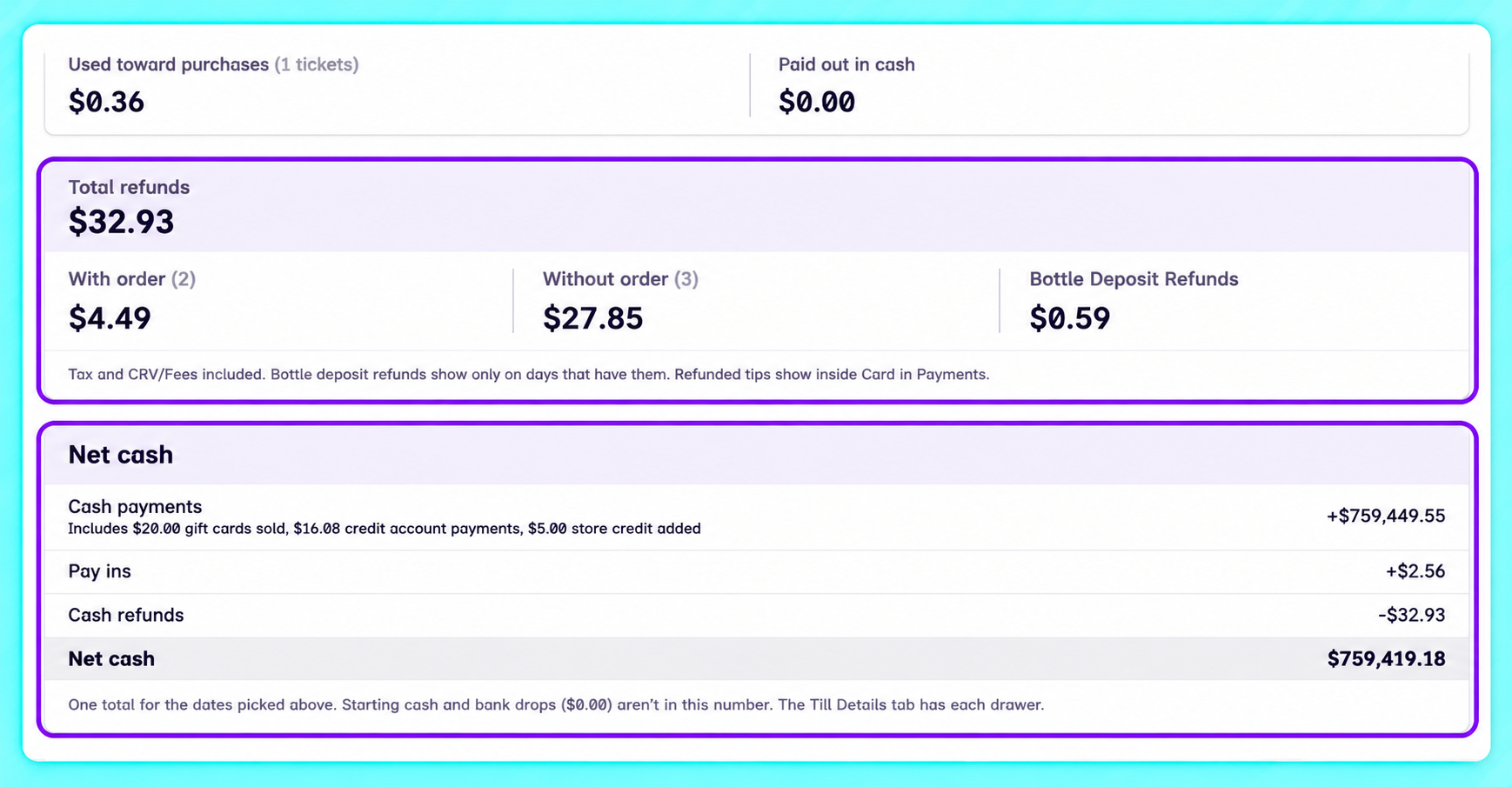
Sales Summary now calculates net sales the same way as the register’s Operations Report. The Payments section shows Received, Refunded, and Net, with separate sections for Net cash today and Total Refunds. Totals may differ from older reports because the calculation changed.
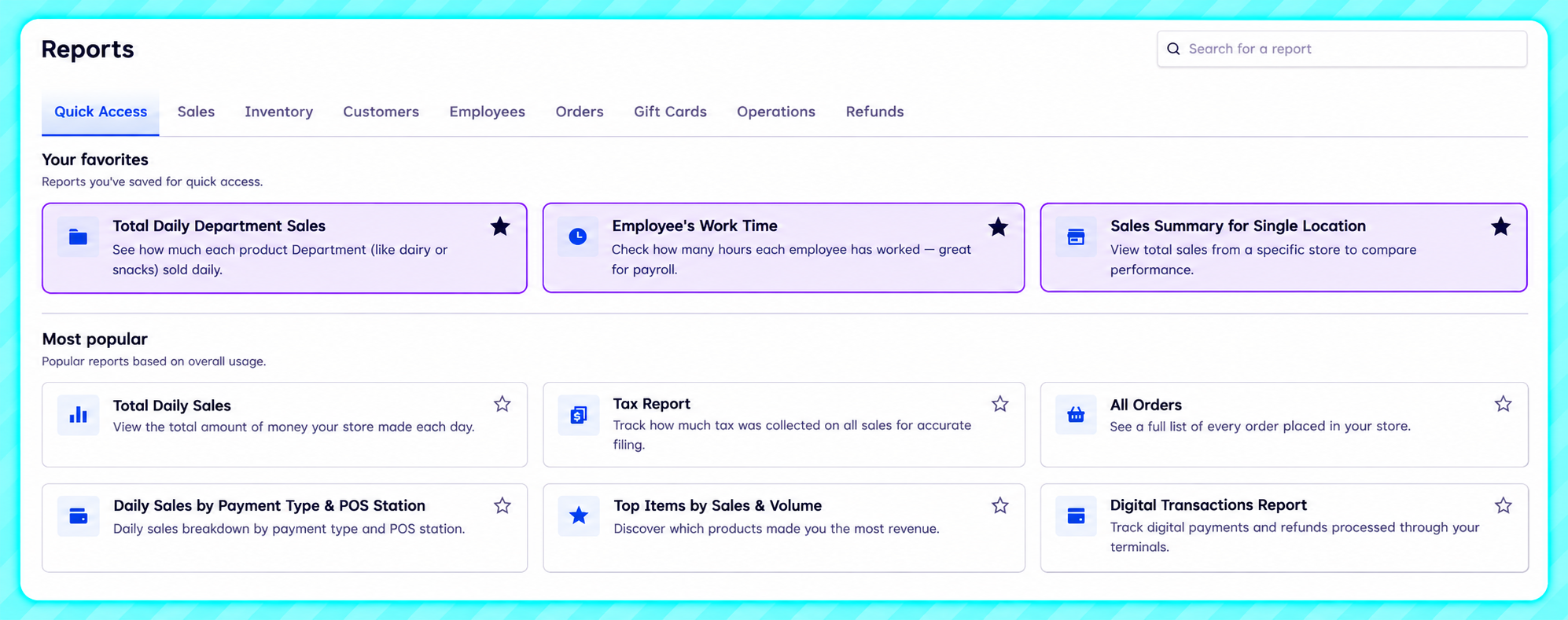
You can also view shrinkage at sale price or cost. Older write-offs may show an estimate, and the cost view excludes products with missing cost data. Star frequently used reports to pin them under Your favorites in your browser.
Staff roles and appearance
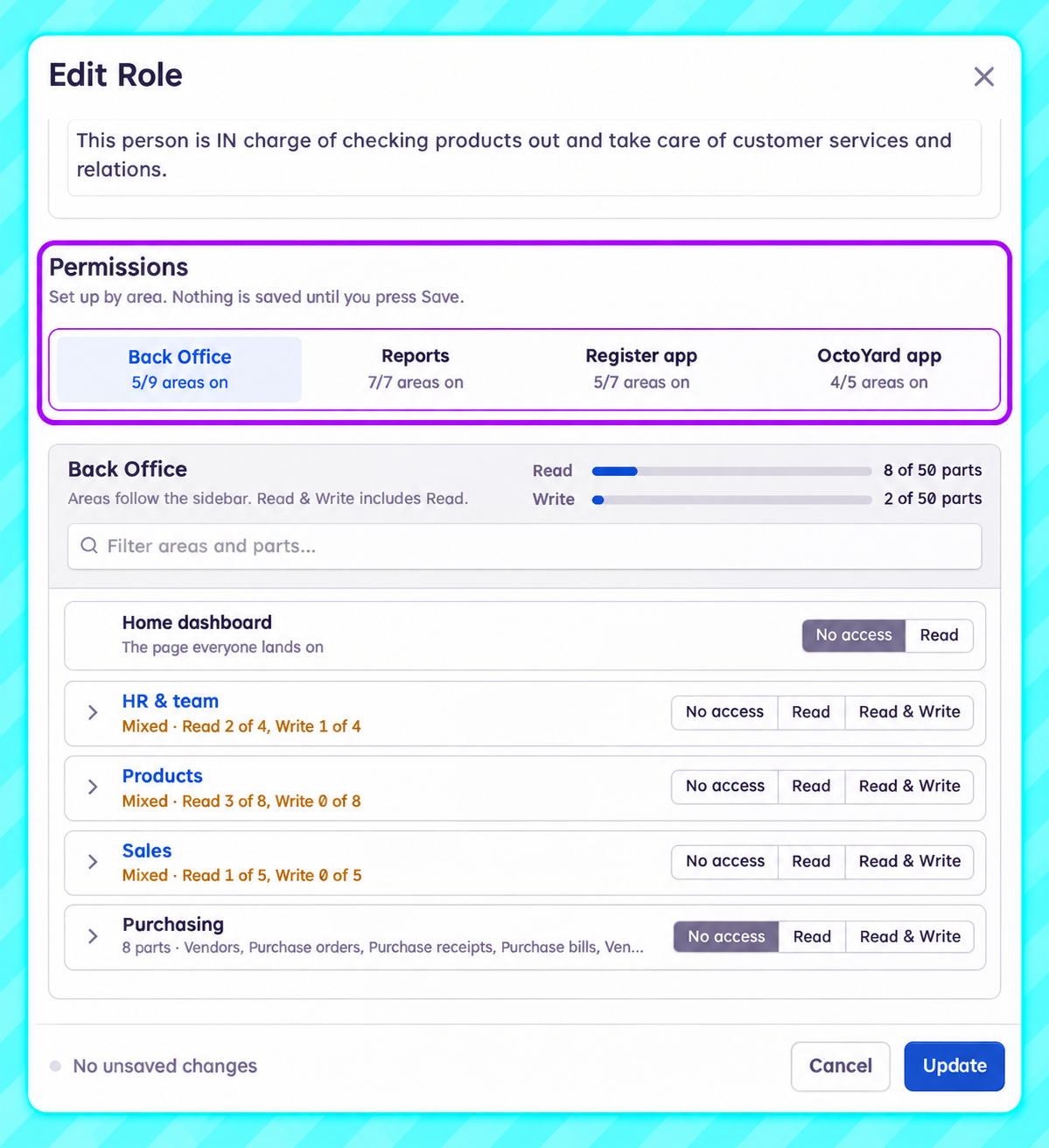
The role editor organizes permissions into four tabs: Back Office, Reports, Register app, and OctoYard app. In the Back Office tab, you can grant No access, Read, or Read & Write for each area.
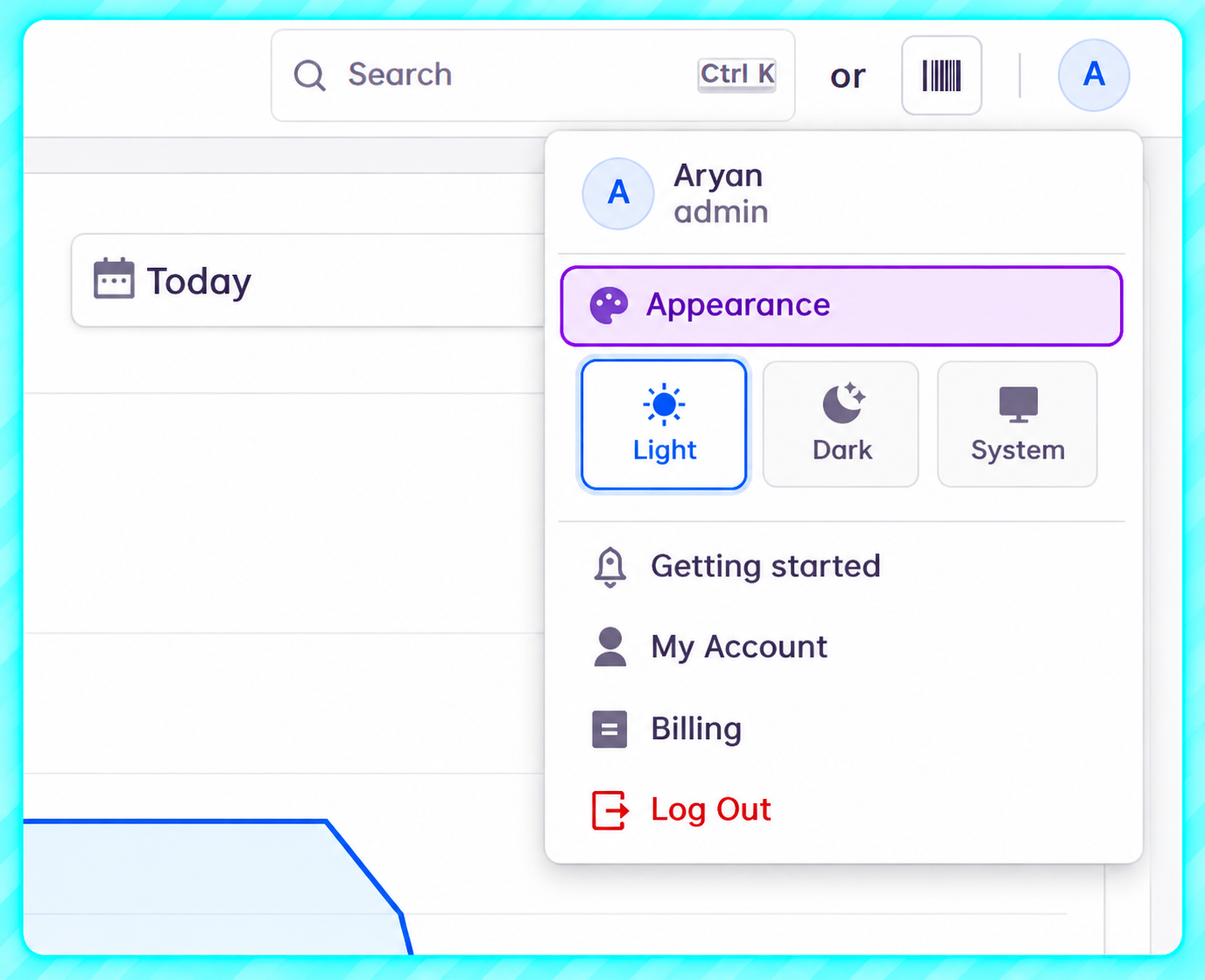
Choose Light, Dark, or System in Appearance. Octopos saves the setting to your user profile.
Price books
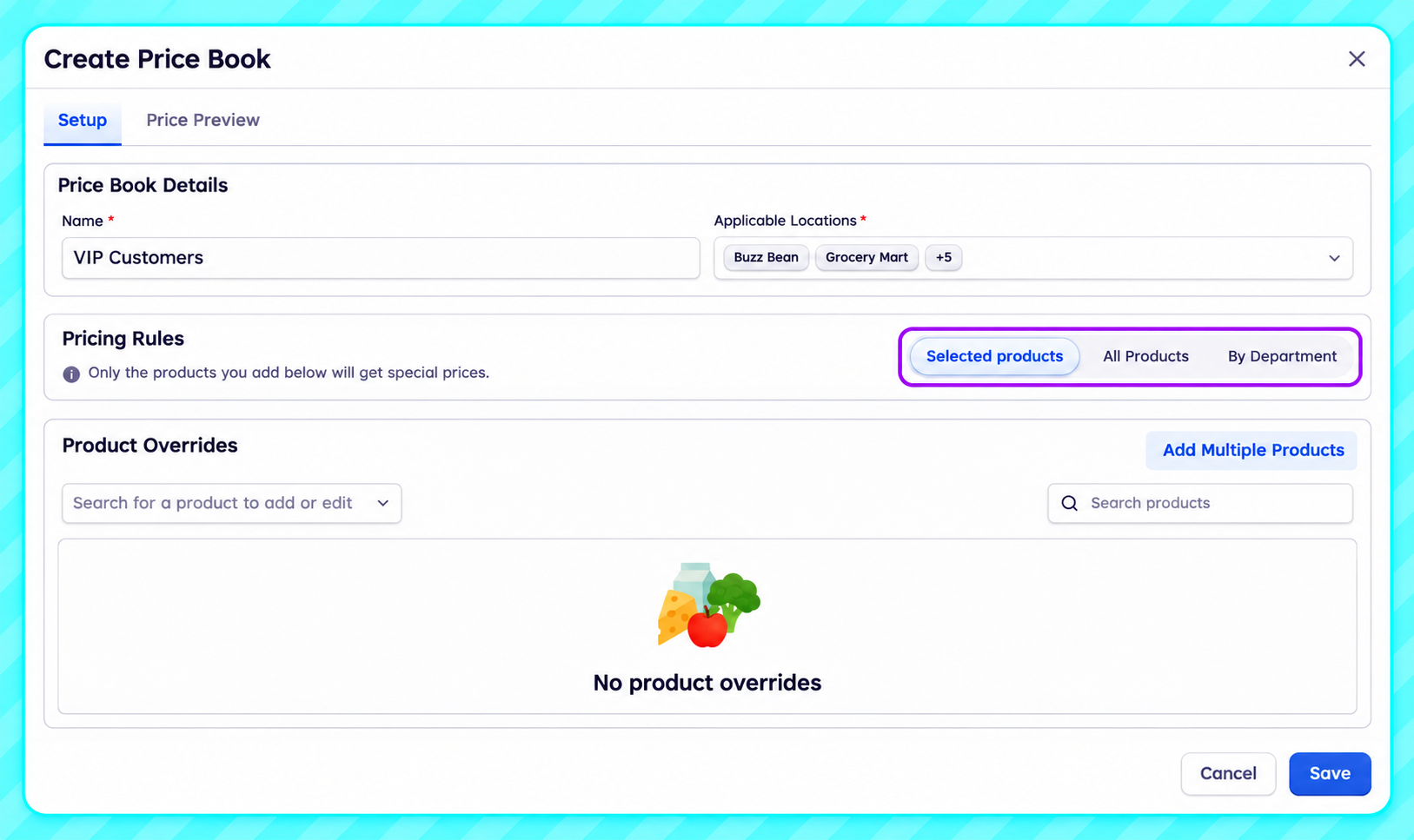
Price books can apply member pricing automatically and cover all products, specific departments, or selected products. You can add up to 1,000 products at a time.
Customer price books also apply to base-unit items on Back Office quotes and invoices. Cases and packs keep their own prices, and any price you enter manually takes precedence.
Invoice payment alerts and credit-account signatures
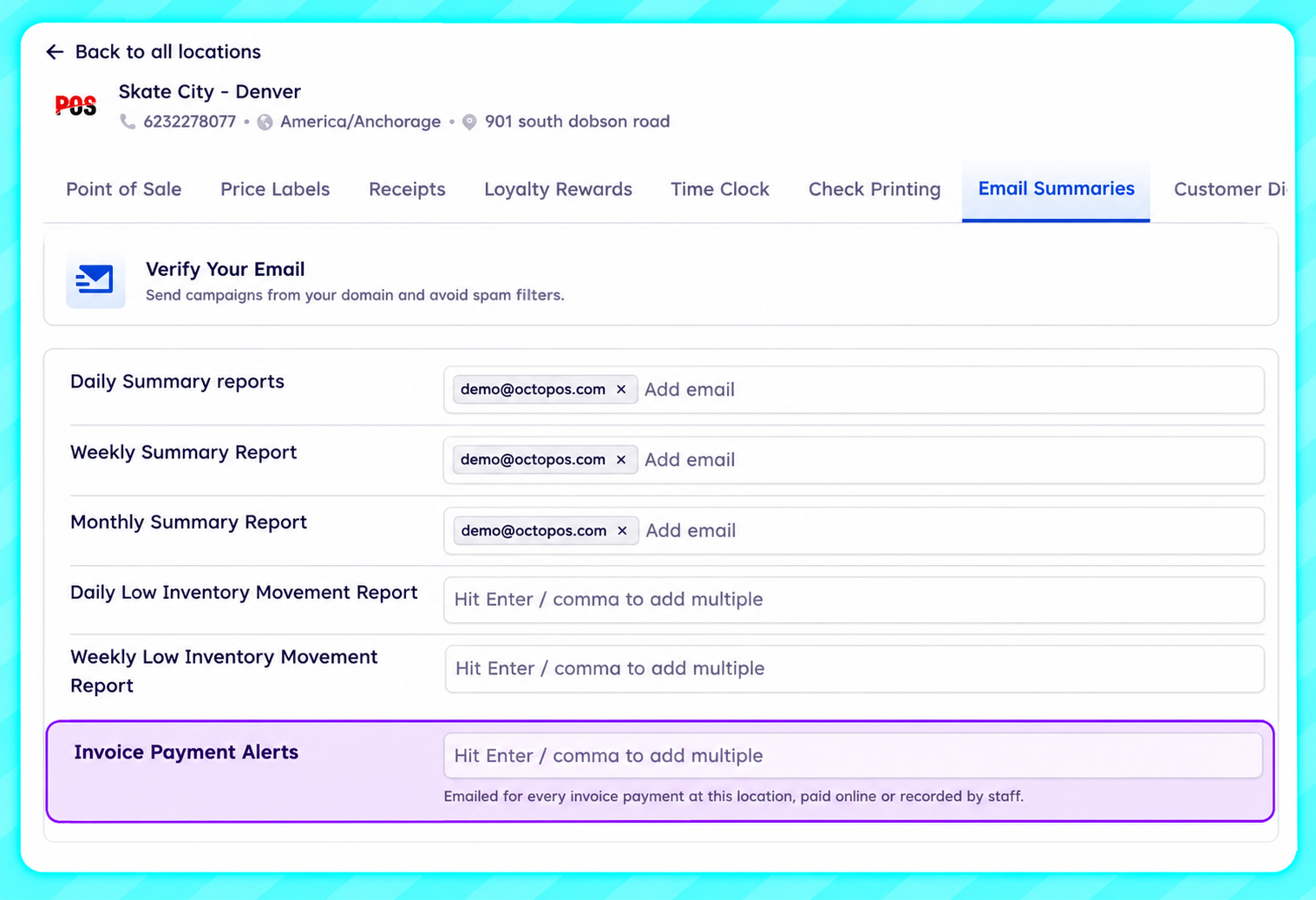
Invoice Payment Alerts. Choose who receives an email when a customer pays an invoice online or a staff member records the payment. Set recipients under Settings → Locations → Email Summaries → Invoice Payment Alerts. Select a location when recording a payment.
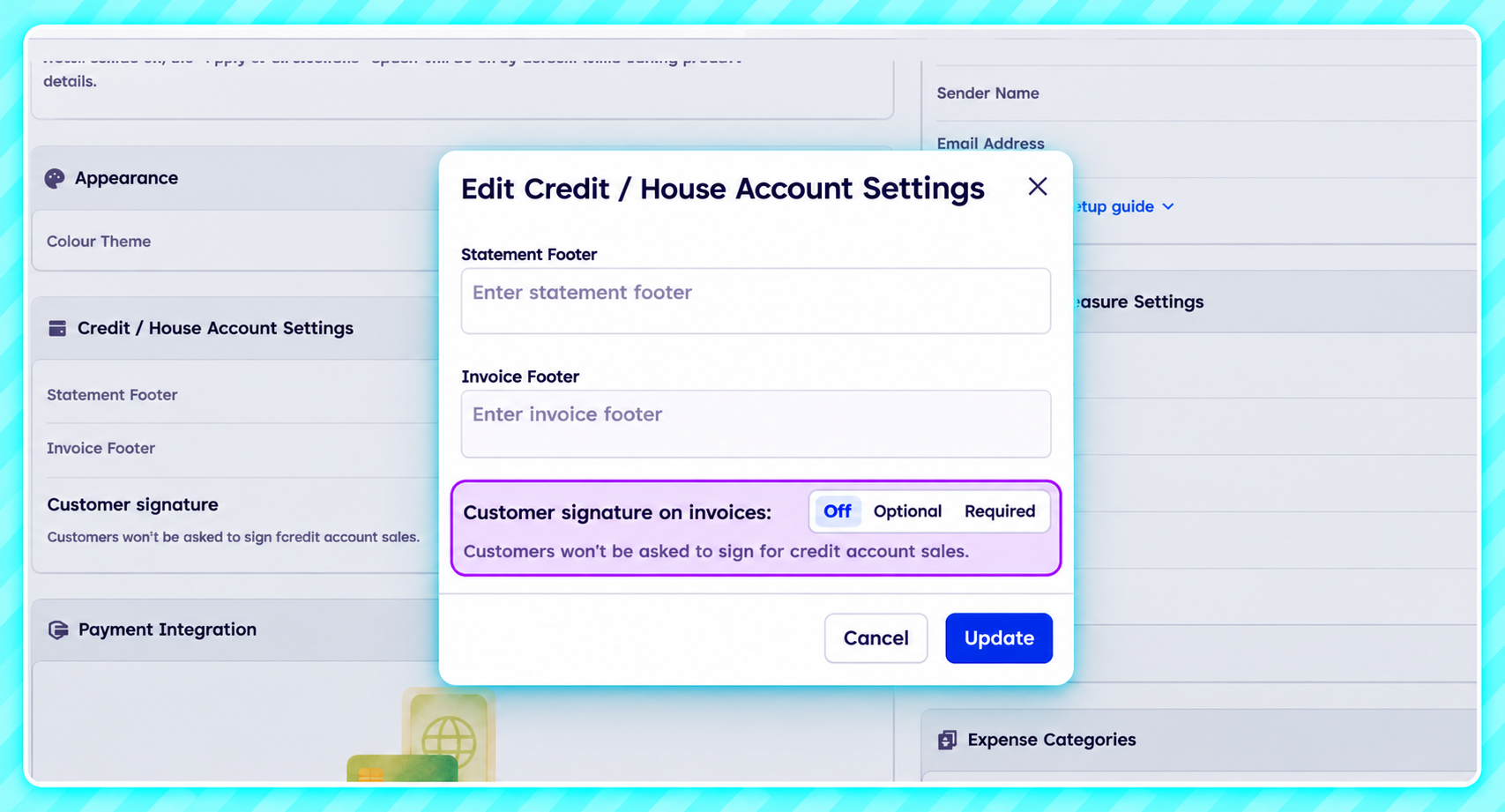
Credit-account signatures. Set signatures to Off, Optional, or Required under Settings → Global Preferences. Collected signatures appear as Customer acknowledgement on invoices, order details, and PDFs.
Double Up Food Bucks and electronic shelf tags
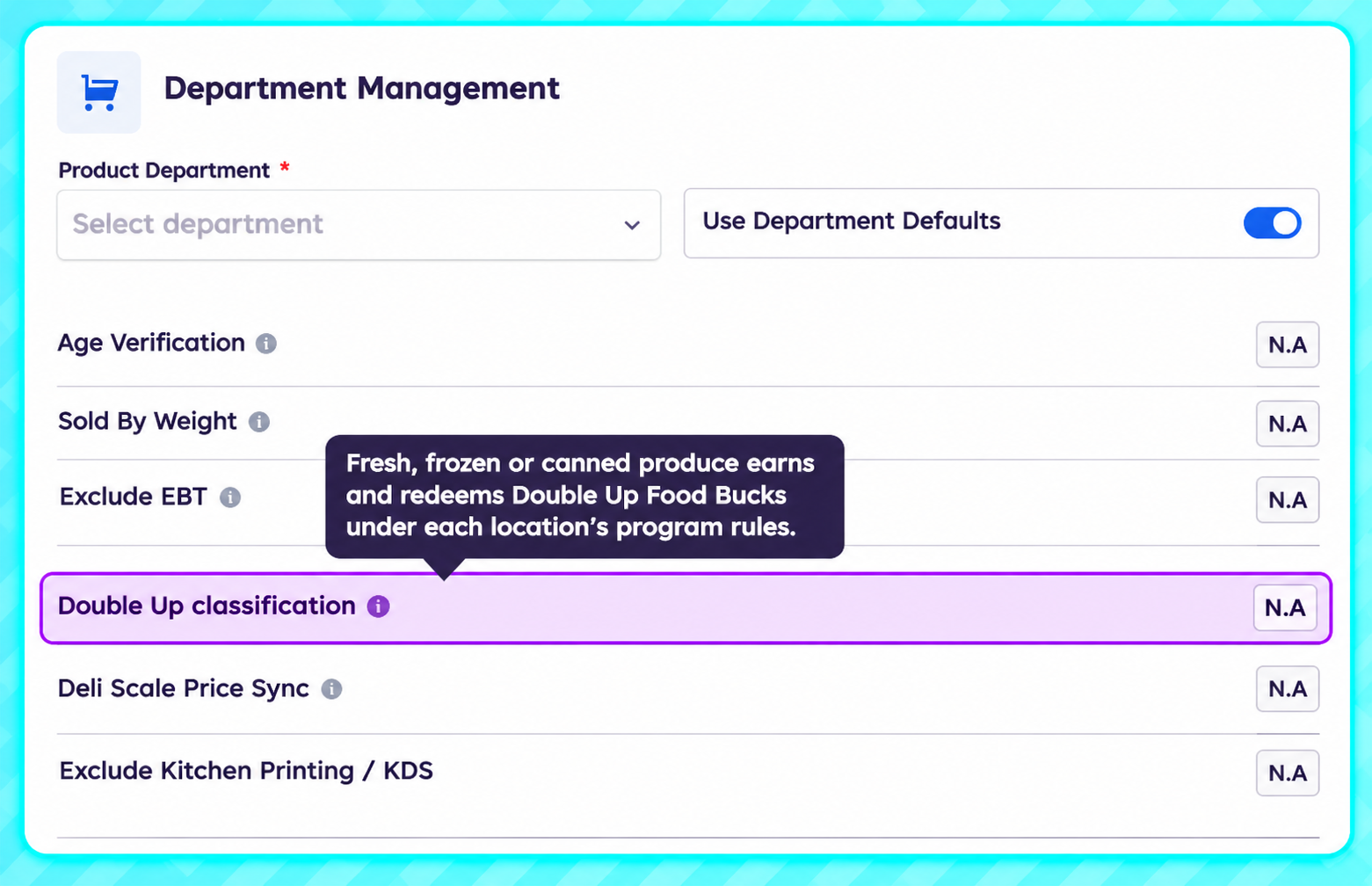
Double Up Food Bucks. Participating grocery stores with the SNAP incentives plan feature can set up eligible products, track claims, and export a ledger. Program activity appears on orders, receipts, the Tax Report, and the daily email.
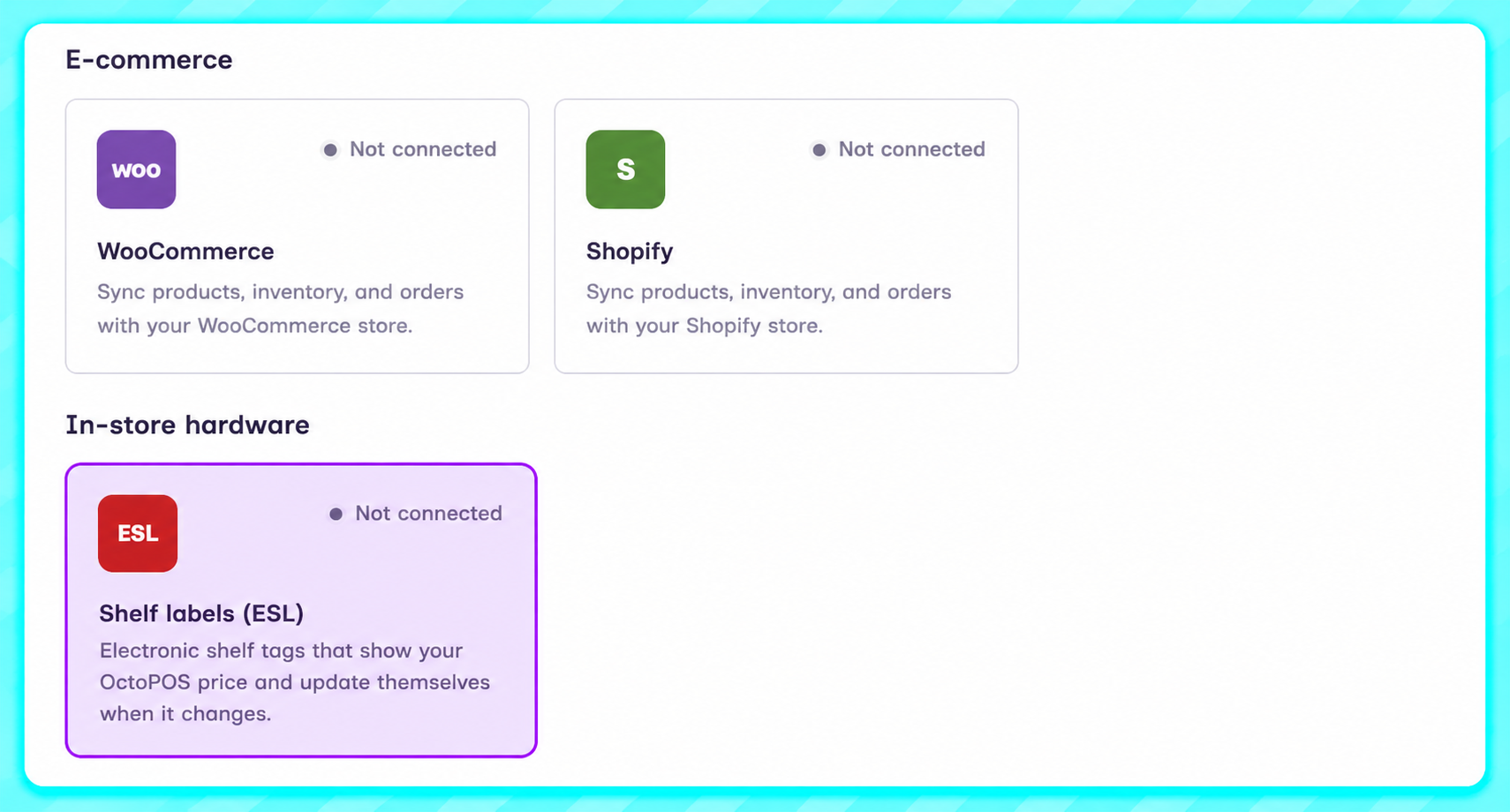
Electronic shelf tags. With the Shelf Labels add-on, supported Zhsunyco 2.13-inch and 4.2-inch tags update when prices change in Octopos. Staff who pair tags at the register need the Bind Shelf Tags permission.
Other Back Office updates
Purchasing and invoice scanning. View the uploaded vendor invoice alongside the purchase bill when the invoice is attached to the receipt. Update units per case on a receipt line and review the changes before saving. Invoice matching identifies exact-name and barcode matches in your catalog. Creating a product during invoice review no longer freezes the screen, and Operator Plus stores can use unlimited AI invoice scans.
Products, pricing, and fees. Set department default taxes for all locations at once or for each location. Product, department, and category images resize automatically on upload. For stores using one price, Cash Price is now Sale Price, and existing import files with a Cash Price column still work. Bottle deposits and other item fees are labeled CRV/Fees.
Gift cards and billing. Replace a physical gift card number while keeping its balance and transaction history. The reason for the change is saved with the card, and the gift card list shows the new balance immediately after Add Balance. View your Octopos invoices under Billing → Billing History.
Integrations. Shopify and WooCommerce each have a five-step setup. Settings → Developers opens directly to API Keys and Webhooks, and legacy integrations have their own page. Updating a product’s name, price, or department no longer moves it to Uncategorized in WooCommerce. Previously affected products need to be recategorized once.
Altria and AGDC. Send previously unsent weekly scan data files from Weekly files, Overview, or Export History. Review deals shows what the customer receives, and Shelf prices can be filtered by Current, Scheduled, or Ended. The update also corrects counts for products priced above program requirements, funded claim handling, withdrawn deals, carton pricing, and the time zone used for manual scan data files.
Back Office fixes
Authorize.Net payments held for review leave the invoice unpaid and trigger an email to admins. Card decline messages are clearer, and bulk payment links prevent overpayment.
Open tills include bank drops, and expected cash includes store credit purchased with cash. Inactive pay-in and pay-out reasons are removed from reports.
Offline orders use the actual sale time. Order View no longer adds tax to EBT-exempt lines.
Shoppers can add their rewards card to Apple Wallet from email or text links when Mobile Wallet is enabled.
POS Register and Customer Display
Offline sales and till closing
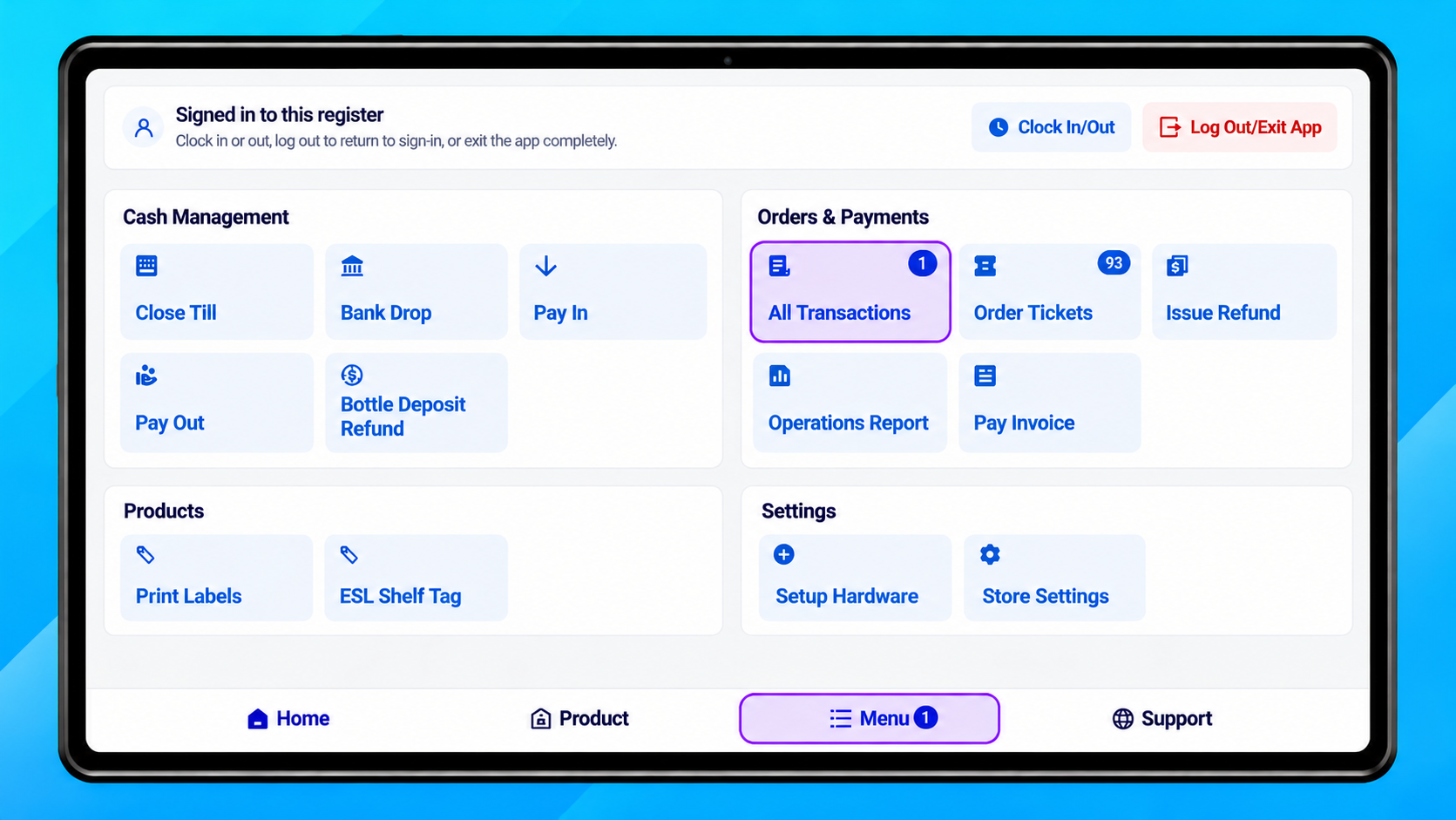
The register handles brief Wi-Fi drops without unnecessary offline alerts. Sales taken offline upload automatically when the connection returns, and you can Close Till without internet access. A badge in the Menu shows unsent orders. If an order is refused, open Manager → Needs attention to see why.
Redesigned printed receipts
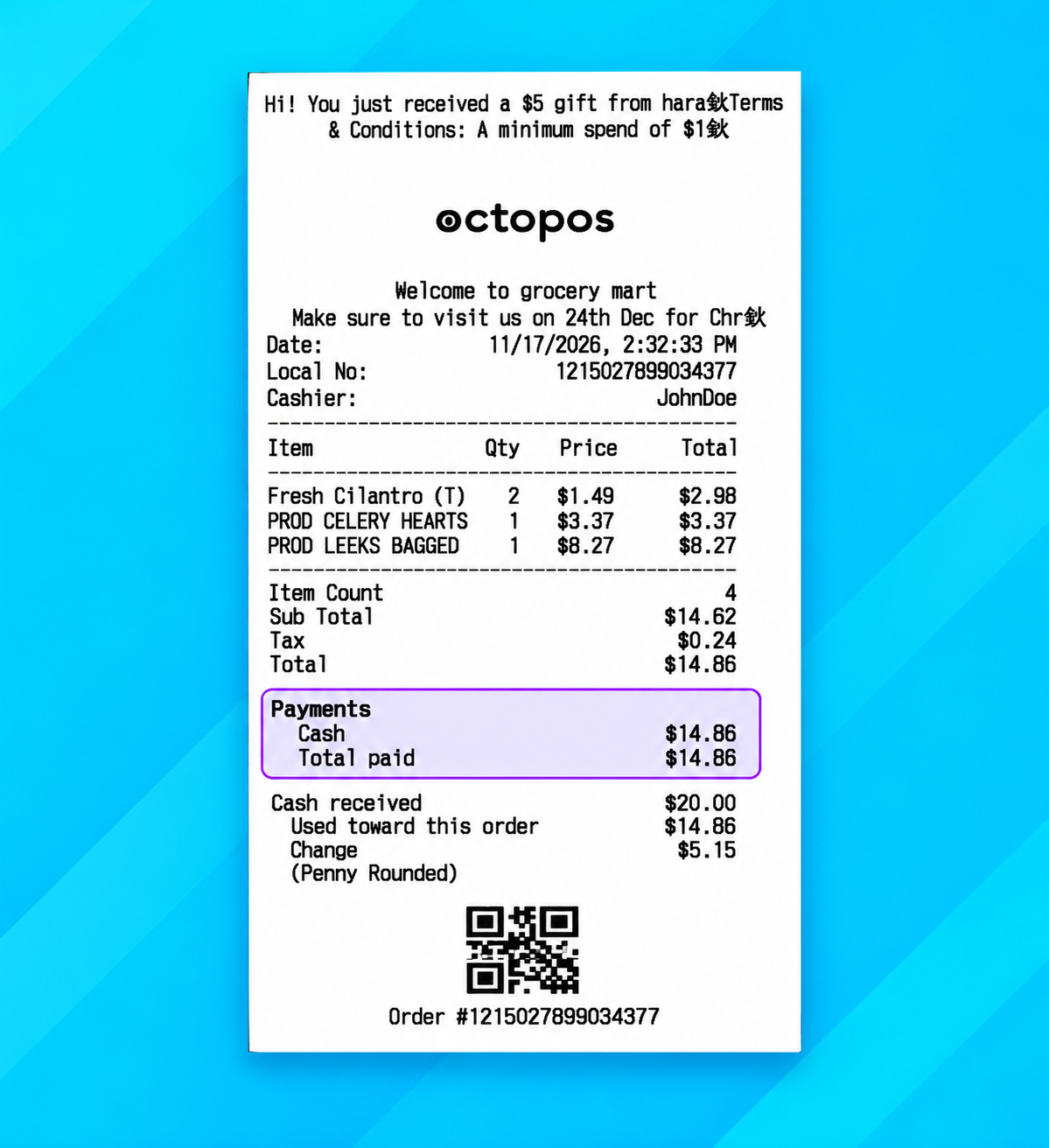
Printed receipts list each payment once and show a Total paid line. Cash received and change appear together in their own section. Receipts also show lottery winnings used on a sale, list named discounts under each item, and show the customer and amount owed on credit-account sales. Printed phone numbers show only the last four digits.
Weighed products and age verification
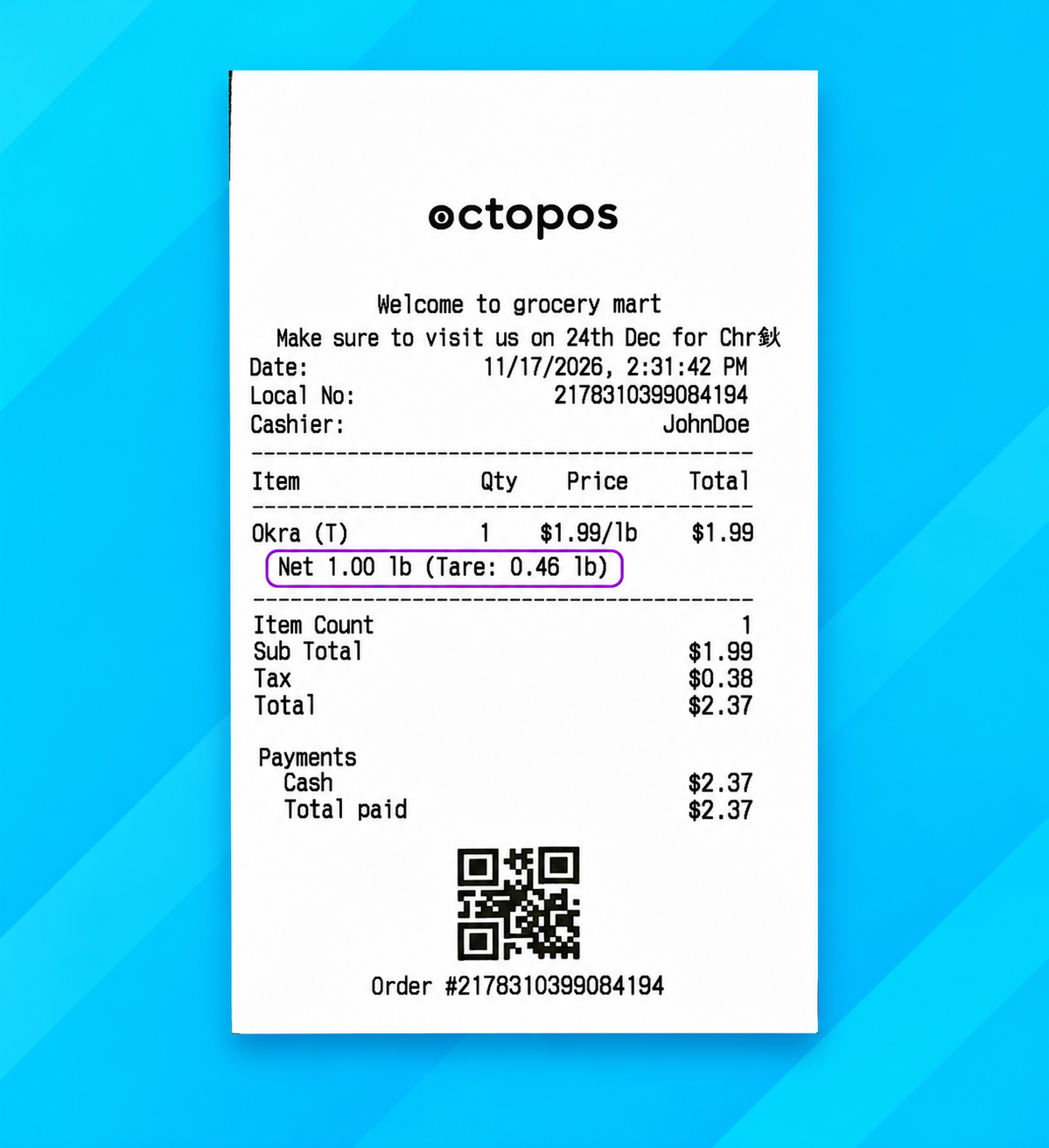
The register deducts the configured container weight so customers pay for the product inside. Printed receipts show the net product weight and the container weight.
The age check displays the customer’s age and a clear Eligible or Not eligible result.
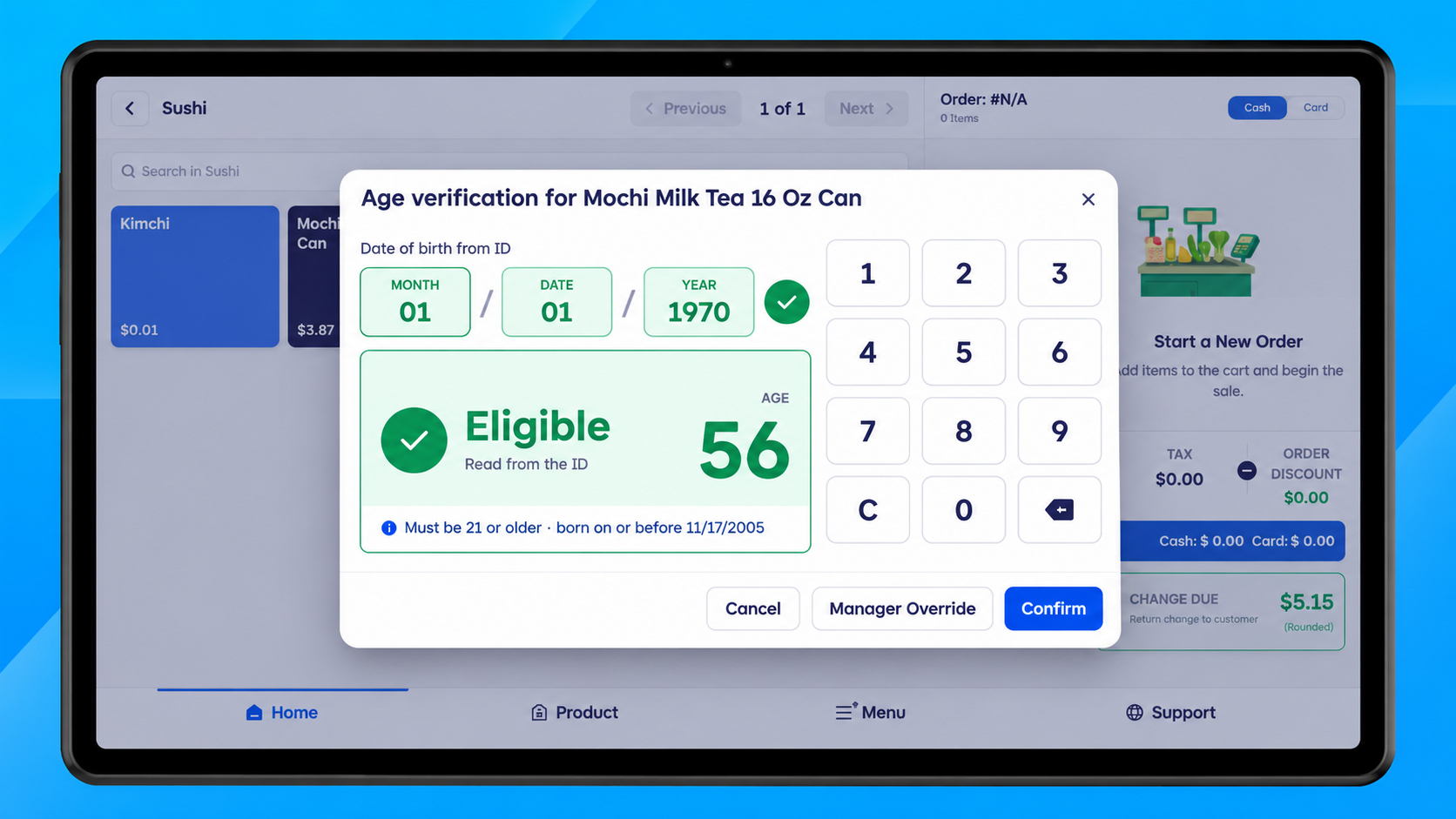
Product search and price editing
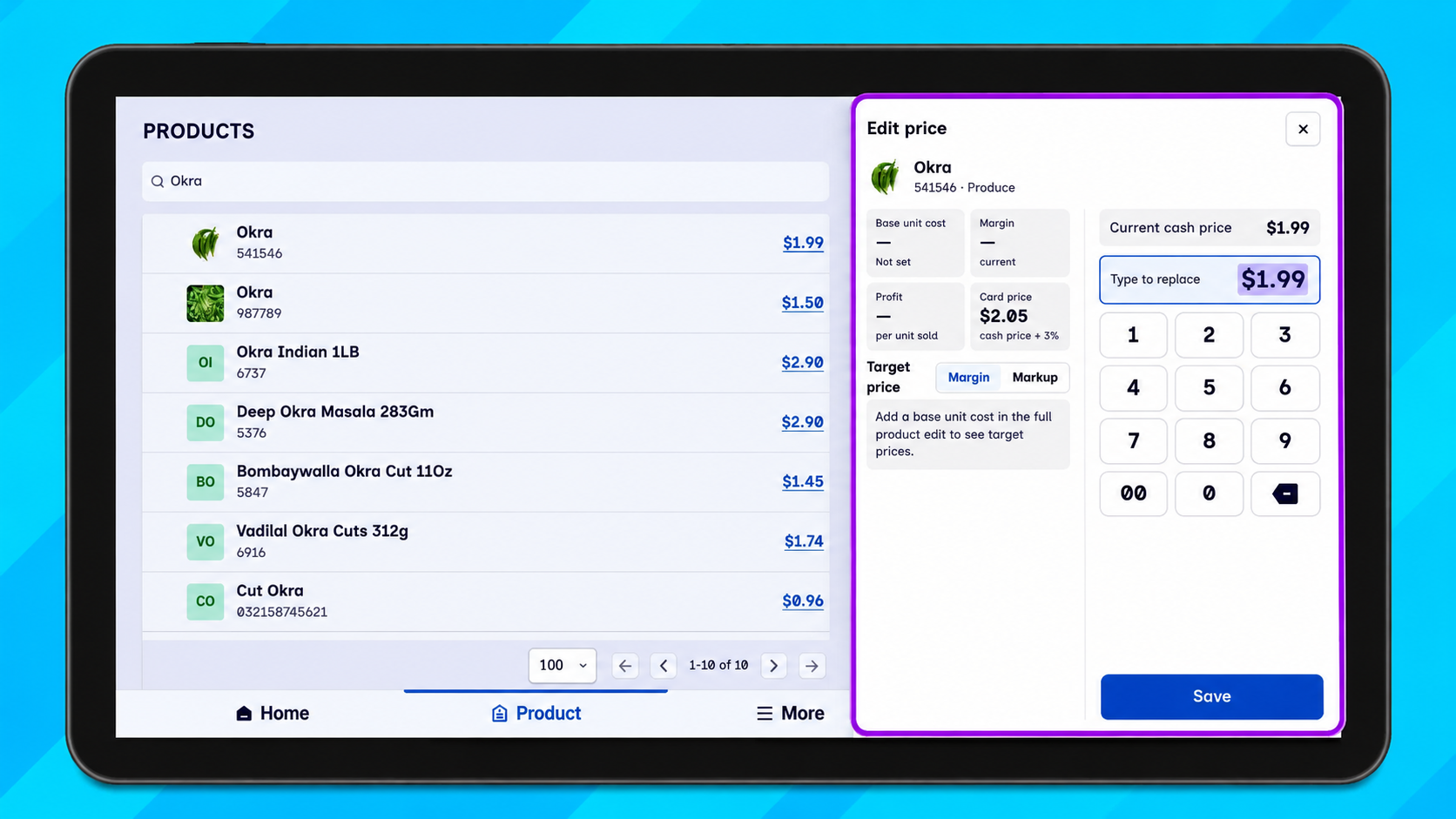
Search in the Products tab prioritizes closer matches. Tap a price to open Edit price, where you can see cost, suggested prices, and margin when the product has a base-unit cost. Product, department, and tag screens keep the bottom bar visible and prompt you before discarding unsaved changes.
Order controls, promotions, and rewards
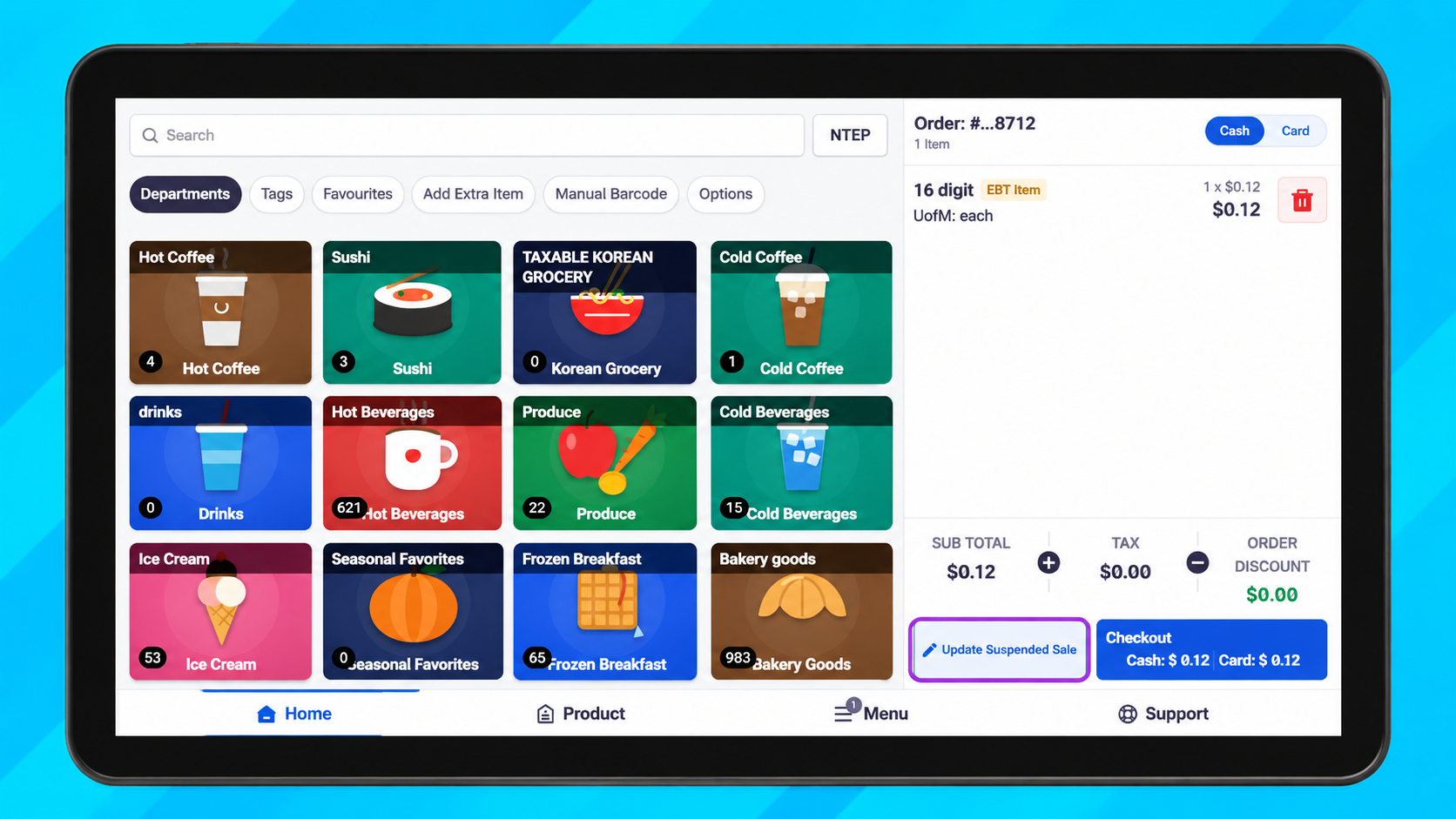
Update Suspended Sale is next to Checkout.
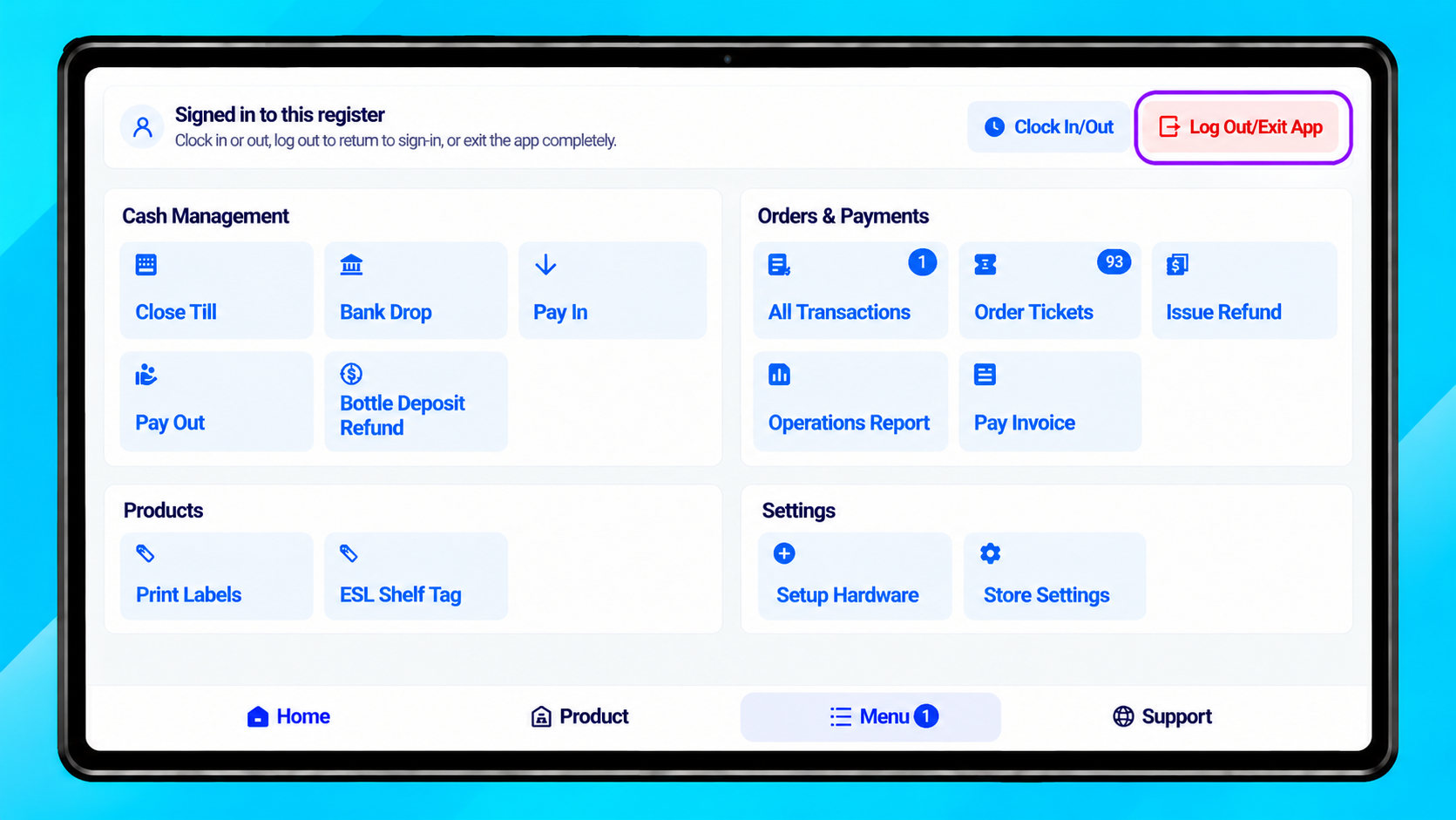
Log Out and Exit App are at the top of the Manager Menu.
The order panel shows a shorter order number and the rewards customer’s name. The rewards indicator turns green when a reward is ready.
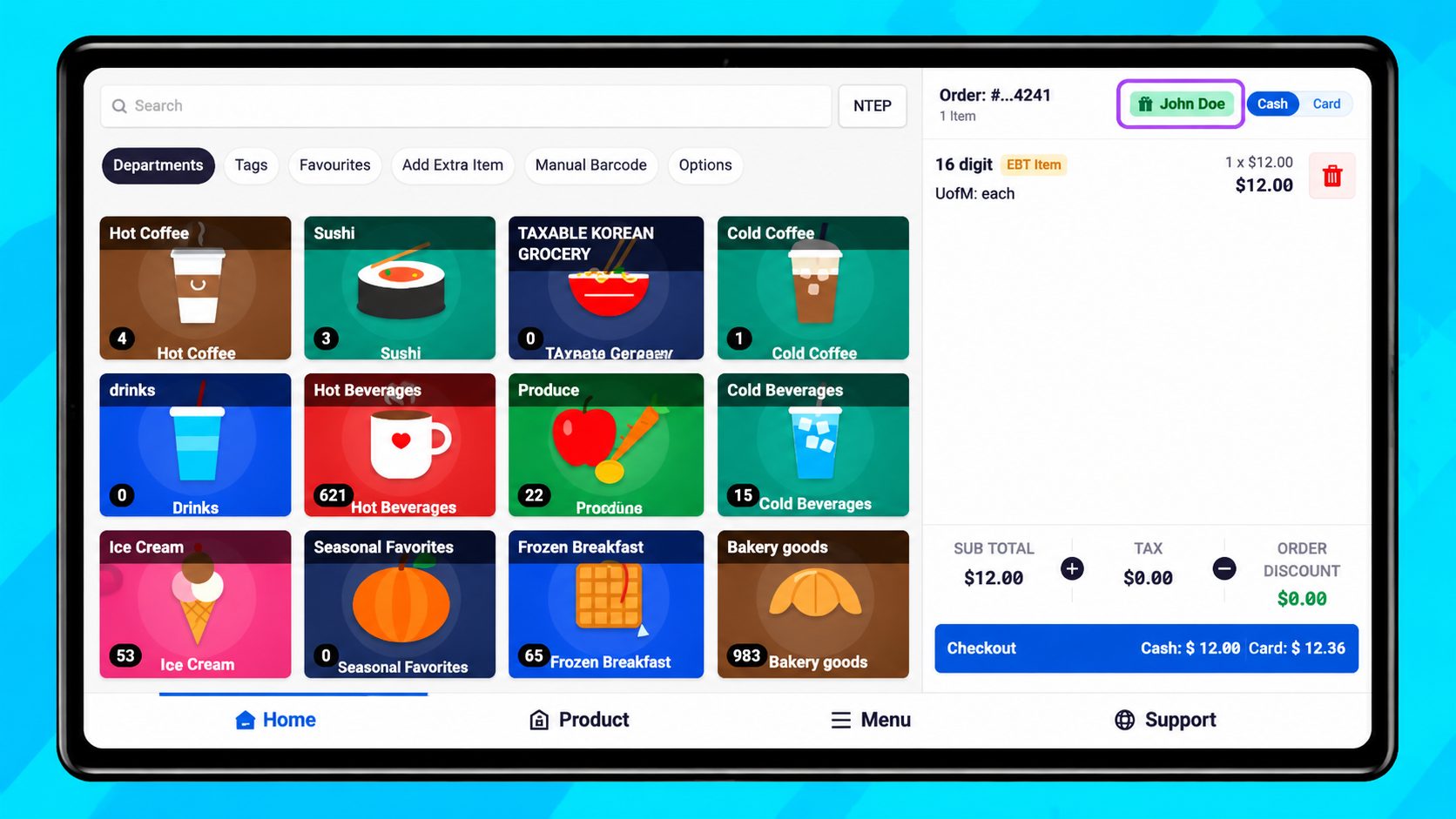
Other POS updates
Turn off Show Reward Panel to let the order fill the Customer Display. Unsubmitted phone numbers clear before the next customer.
Clock-in and clock-out times show the date when a shift runs past midnight.
Buy 2, Get 1 Free applies to the lowest-priced eligible item. The promotion name appears beneath the discounted item.
POS fixes
When a PAX terminal adds its own surcharge to a credit sale, the register no longer opens the cash drawer or prompts the cashier to give change. The surcharge prints as a merchant fee.
Rapid barcode scans are handled more reliably. If a scanned receipt barcode can’t be matched to an order, the register shows Order not found and opens All Transactions.
The Cash and Card switch highlights the selected option for stores using dual pricing. The update also resolves a sign-in error for stores without favorites and gives Submit more room on Add Extra Item.
For help with the update or setting up a feature, contact the Octopos support team.
Also on our support site: Octopos — November 2026 release notes